

Artificial Intelligence for Small Business: A Complete Beginner’s Guide (2026)

Last updated: July 2026 · Reading time: ~12 minutes
A few years ago, “AI” mostly meant something you saw in movies. Now it’s the thing quietly sorting your email into a spam folder, suggesting what to buy next, and — if you run a small business — potentially saving you hours every week.
That last part is where most business owners get stuck. Some have heard AI is about to take over every job. Others assume it’s an expensive tool built for tech giants, not a five-person shop or a solo freelancer. Neither is quite right.
This guide walks through what Artificial Intelligence actually is, how it works under the hood (without the jargon), where it’s genuinely useful for a small business, and — just as important — where it falls short. If you’re new to AI and want a clear, honest starting point, this is it.
What Is Artificial Intelligence?
Artificial Intelligence is the branch of computer science concerned with building systems that can do things we normally associate with human thinking: learning from data, spotting patterns, understanding language, solving problems, and helping make decisions.
Here’s the key difference from regular software: a traditional program follows fixed rules someone wrote in advance. An AI system, on the other hand, learns statistical patterns from large amounts of data and applies what it learned to new, unseen situations — including ones nobody explicitly programmed it for.
A few things you’re probably already using without thinking of them as “AI”:
- Your email’s spam filter, which learns what junk mail tends to look like
- A navigation app that reroutes you around traffic in real time
- A customer service chatbot that answers the same five questions all day
- The “you might also like” suggestions on an online store
- A writing assistant that helps you draft or summarize a document
It’s worth being clear-eyed here: AI doesn’t “understand” the world the way a person does. It processes data and applies statistical models to predict a likely next word, image, or answer. That distinction matters more than it sounds — it’s the reason AI can sound confident while still being wrong, which we’ll get into later.
Why Artificial Intelligence Matters for Business
The appeal of AI for business owners isn’t the technology itself — it’s what the technology frees you up to do. Used well, AI helps businesses:
- Cut down time spent on repetitive tasks
- Respond to customers faster
- Make sense of data that would take hours to review manually
- Personalize the customer experience
- Support marketing with research and content drafts
- Improve forecasting and planning
For a small team without a dedicated data analyst or a 24/7 support desk, this can be the difference between constantly playing catch-up and actually having room to think strategically.
Artificial Intelligence vs. Traditional Software

| Traditional Software | Artificial Intelligence |
|---|---|
| Follows predefined rules | Learns patterns from data |
| Produces the same output for the same input | Adapts based on training and new data |
| Limited flexibility | Better at handling complex or uncertain situations |
| Requires manual programming for every rule | Uses models to make predictions or generate responses |
Think of a calculator versus an AI-powered budgeting assistant. The calculator applies fixed math rules, always the same way. The budgeting assistant can look at your spending history, spot a pattern (say, marketing costs spiking every March), and flag it — something no fixed rule could anticipate on its own.
How Does Artificial Intelligence Actually Work?
Strip away the buzzwords and the process behind most AI tools follows a fairly logical sequence.
Step 1: Data Collection
Every AI system starts with data — text, images, audio, sales records, customer interactions, website analytics. The quality of this data has a direct, outsized effect on the quality of the results. Feed an AI messy or biased data, and you’ll get messy or biased output, no matter how advanced the underlying model is.
Step 2: Training
Engineers train the model on large datasets so it can learn statistical relationships. An image recognition model, for example, learns to tell a cat from a dog by studying thousands of labeled photos — not by being told “cats have pointy ears” in a line of code.
Step 3: Prediction or Generation
Once trained, the model applies what it learned to new input: answering a question, translating a sentence, flagging a fraudulent transaction, drafting a paragraph, or forecasting next month’s demand.
Step 4: Continuous Improvement
Some AI systems keep improving through updates or user feedback. Others don’t learn automatically after launch and need periodic retraining by developers — an important distinction if you’re evaluating a tool that claims to “get smarter over time.”
The Technologies Behind AI
“AI” is really an umbrella term covering several related technologies. Knowing the difference helps you evaluate tools more intelligently instead of taking marketing claims at face value.
Machine Learning (ML)
Machine Learning lets computers spot patterns in data and make predictions without being explicitly programmed for every scenario. It’s behind product recommendations, fraud detection, sales forecasting, and spam filtering.
Deep Learning
A subset of Machine Learning that uses multi-layered neural networks to handle more complex information — the technology behind voice assistants, image recognition, speech transcription, and autonomous-driving research.
Natural Language Processing (NLP)
NLP helps computers understand and generate human language. It’s what makes chatbots, email assistants, translation tools, and document summarizers possible.
Computer Vision
Computer Vision lets machines interpret images and video. Businesses use it for quality inspection in manufacturing, inventory monitoring, medical image analysis, and optical character recognition (OCR).
Generative AI
Generative AI creates new content — text, images, code, audio, video — based on patterns learned during training. For a small business, this is usually the most immediately useful category: drafting marketing copy, brainstorming ideas, or producing a first pass at a report. It’s a starting point, not a finished product — human review still matters for accuracy and brand voice.
AI Is a Tool, Not a Replacement for Human Judgment

If there’s one thing worth remembering from this entire guide, it’s this: AI works best as an assistant, not a decision-maker.
It can automate repetitive work and surface useful suggestions, but it can also produce answers that are confidently wrong, outdated, or simply off-context. The businesses that get the most value from AI are the ones that treat it like a capable junior team member — fast, tireless, occasionally wrong — rather than an autopilot. Human oversight stays essential, especially for anything touching finances, legal matters, or customer trust.
Types of Artificial Intelligence
AI gets grouped into categories based on capability. Understanding these helps separate what’s actually available today from what’s still theoretical.
1. Narrow AI (Weak AI)
Narrow AI is built for a specific task and can’t operate outside it. Email spam filters, voice assistants, recommendation engines, chatbots, translation tools, and image recognition software all fall here. Nearly every AI application a business uses today is Narrow AI.
Example: An online store’s AI recommends products based on browsing history. It’s excellent at that one job — and useless at, say, running payroll.
2. General AI (AGI)
Artificial General Intelligence refers to a hypothetical system that could learn, reason, and solve problems across many domains at a human level. As of mid-2026, AGI has not been achieved. Researchers continue working toward it, but every AI system on the market today remains specialized rather than generally intelligent — worth remembering next time a headline claims otherwise.
3. Superintelligent AI
A theoretical concept describing AI that would outperform humans at virtually every intellectual task. It’s a common topic in research and science fiction, but not a technology that exists today.
Where AI Is Already Being Used
AI has moved well beyond tech companies. Here’s how different industries are applying it in practice.
Retail and E-commerce
Recommending products, predicting demand, managing inventory, personalizing promotions, and improving customer support.
Healthcare
Supporting — never replacing — medical professionals through image analysis, appointment scheduling, administrative automation, and drug discovery research. Medical decisions should always involve qualified healthcare professionals.
Banking and Finance
Fraud detection, credit risk assessment, chatbots, spending analysis, and forecasting. AI can flag unusual transaction patterns far faster than manual review.
Education
Personalizing learning paths, generating quizzes, recommending study materials, and offering writing or tutoring support — with teachers still central to instruction and assessment.
Manufacturing
Predicting equipment failures, improving quality control, optimizing production schedules, and enhancing workplace safety.
Marketing
Content brainstorming, email personalization, keyword research, customer segmentation, and campaign analysis. AI speeds up the workflow, but successful campaigns still need human creativity and strategy behind them.
How Small Businesses Can Actually Use AI
The idea that AI is only for large enterprises doesn’t hold up anymore. Affordable, accessible tools now let small teams punch well above their weight.
Customer Support
AI chatbots handle FAQs and basic questions around the clock, cutting response times and freeing staff for the complex issues that actually need a human touch.
Content Creation
AI can draft blog posts, product descriptions, social captions, newsletters, and ad ideas. Treat these as first drafts — human editing is what keeps the tone, accuracy, and originality intact.
Marketing Research
AI tools can scan market trends, customer feedback, and competitor activity far faster than manual research, giving you a head start on decisions.
Data Analysis
Instead of digging through spreadsheets by hand, AI can surface sales trends, seasonal demand shifts, customer preferences, and top-performing products.
Administrative Tasks
Meeting summaries, calendar management, email drafting, document organization, and workflow automation — the unglamorous work that eats hours every week.
A Practical Example: The Small Bakery
Picture a bakery with three employees.
Without AI: Orders get logged by hand. Every customer email gets answered individually. Social posts are written from scratch each time. Sales reports take hours to put together.
With AI: Common customer questions get instant replies. Marketing ideas come together faster. Weekly sales summaries generate automatically. Inventory trends get flagged to guide purchasing.
The owners still make every final call — AI just clears out the routine work sitting between them and those decisions.
Benefits of Artificial Intelligence for Business
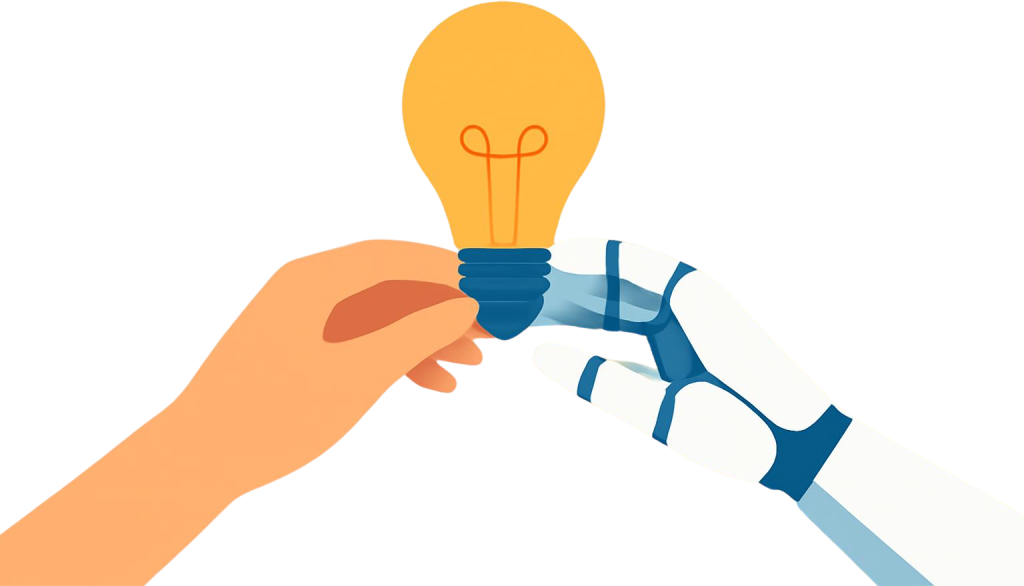
Increased Productivity
Automating repetitive tasks frees employees for higher-value work — customer relationships, planning, and innovation.
Better Decision Support
AI can process large volumes of data quickly and surface patterns a person might miss. Human judgment still matters for interpreting what those patterns actually mean.
Improved Customer Experience
Faster responses and more personalized recommendations tend to go a long way, especially for routine inquiries.
Cost Savings
Automation can meaningfully reduce time spent on repetitive processes — though actual savings depend on setup costs, training, and how well the tool fits your workflow.
Scalability
As a business grows, AI tools can absorb increasing workloads without every task needing to be done manually.
Limitations of Artificial Intelligence
None of this works if you go in expecting AI to be flawless. A few limitations worth keeping in mind:
AI Can Make Mistakes
AI systems sometimes produce incorrect or misleading information, often stated with total confidence. Always verify anything important before it reaches a customer or a business decision.
Data Quality Matters
Poor-quality data leads to poor-quality results. Keeping your business data accurate and current pays off directly in better AI output.
Privacy and Security
Protect customer information and follow applicable privacy regulations. Don’t enter sensitive data into an AI tool without understanding how that data gets processed and stored.
Human Oversight Is Essential
AI should support people, not replace critical thinking. Legal, financial, medical, and other high-stakes decisions should always involve qualified professionals.
There’s a Learning Curve
Teams need time to get comfortable with new tools and adjust workflows around them. Clear training and realistic expectations make adoption go a lot smoother.
Pros and Cons at a Glance
| Pros | Cons |
|---|---|
| Automates repetitive work | Can generate inaccurate information |
| Saves time | Requires human review |
| Improves productivity | Depends heavily on data quality |
| Supports better decisions | Raises privacy considerations |
| Helps analyze data at scale | Learning curve for new users |
| Enhances customer service | May not fully grasp business context |
Common Misconceptions About AI
Myth: AI will replace every job.
Reality: AI automates certain tasks, but creativity, judgment, communication, and relationship-building remain firmly human. In most workplaces, AI assists rather than replaces.
Myth: AI is always correct.
Reality: AI can make factual errors, misread context, or serve up outdated information. Review its output before you rely on it.
Myth: AI is only for large companies.
Reality: A growing number of affordable tools are built specifically for freelancers, startups, and small teams.
Myth: AI understands things the way humans do.
Reality: AI identifies patterns in data and generates responses from those patterns. It doesn’t have human understanding, emotion, or common sense.
Myth: Using AI means no human work is needed.
Reality: The best results come from pairing AI with human expertise — people still set the goals, judge the output, and make the final calls.
Best Practices for Using AI in Business
- Start with one or two practical use cases instead of trying to automate everything at once
- Train your team on how to use AI tools effectively and responsibly
- Review AI-generated content before it goes live
- Protect sensitive customer and business information
- Track results and adjust your workflow based on what’s actually working
- Stay current on new AI capabilities and their limits
- Use AI to support your team’s expertise, not replace it
Key Takeaways
- Most AI in use today is Narrow AI, built for specific tasks — not the general intelligence you see in science fiction
- AI is already improving operations across retail, healthcare, finance, education, manufacturing, and marketing
- Small businesses can use AI to automate routine work, analyze data, improve customer service, and speed up content creation
- AI offers real benefits, but human oversight remains essential — it’s a tool, not a decision-maker
- Understanding what AI can and can’t do is what separates businesses that adopt it well from those that get burned by it
Frequently Asked Questions
What is Artificial Intelligence in simple words?
Artificial Intelligence (AI) is technology that lets computers perform tasks that normally need human intelligence — recognizing patterns, understanding language, learning from data, and helping solve problems. It’s a powerful assistant, but it still needs human guidance for important decisions.
Is Artificial Intelligence only for large companies?
No. Cloud-based AI tools now come with affordable, pay-as-you-go pricing, so small businesses and solo entrepreneurs can automate tasks, improve customer service, and create content without investing in expensive infrastructure.
Can AI replace human workers?
AI can take over routine, repetitive tasks, but it can’t replace creativity, leadership, empathy, ethical judgment, or relationship-building. In most businesses, AI works best as a support tool rather than a replacement for people.
What are some everyday examples of AI?
You already use AI daily through search engine results, email spam filters, voice assistants, navigation apps, online shopping recommendations, customer service chatbots, and translation tools.
Is AI difficult to learn?
Not really. Most modern AI tools are built with beginners in mind. A good starting point is a simple writing assistant, meeting summarizer, or customer support chatbot before moving on to more advanced tools.
What are the risks of using AI?
The main risks are inaccurate or misleading outputs, data privacy concerns, bias in AI models, over-reliance on automation, and security issues if sensitive information is shared carelessly. Reviewing outputs and following good privacy practices reduces these risks significantly.
How can a small business start using AI?
AI for small business. https://www.sba.gov/business-guide/manage-your-business/ai-small-business
Start with one or two tasks where AI can genuinely save time — drafting marketing content, answering common customer questions, summarizing meeting notes, organizing emails, or analyzing sales data. Expand from there as your team gets comfortable.
What is the difference between AI and Machine Learning?
Artificial Intelligence is the broad field of building systems that perform intelligent tasks. Machine Learning is one part of AI — the part where systems learn patterns from data and improve without being manually reprogrammed for every scenario.
Final Thoughts
Artificial Intelligence is changing how people work, communicate, and run businesses — but the core idea behind it is simple: helping people do things more efficiently and make better-informed decisions.
For small business owners, AI is no longer something reserved for companies with deep pockets and dedicated tech teams. Affordable, easy-to-use tools can now help with content, customer support, data analysis, and everyday admin work. Used thoughtfully, that frees up time for the parts of the business that genuinely need a human touch — strategy, creativity, and relationships.
The best way to start is small: pick one real problem AI can help with, try it, and build from there. As your comfort grows, you can layer in more tools while keeping quality, trust, and good judgment at the center of how you use them.
Disclaimer: This guide is for general informational and educational purposes only and does not constitute legal, financial, medical, or professional advice. Always consult a qualified professional before making important business, financial, legal, or medical decisions.